

The news is wild right now. It was wild during COVID, too. Think back to some of the insane things that were said out loud — the posts on Twitter, the articles in the mainstream press, the official pronouncements. If we read them today, they’d shock us. Some of them you can’t read today, because they’re simply gone.
We’re living through another extraordinary time right now. The kind of things flowing through our feeds every day — about markets, AI, wars, money, what you’re allowed to say — are exactly the bits of news we’ll want to look back on in five years and say: that’s what they were telling us. That’s when it happened. I don’t want to lose them.
The internet has a memory problem, and it’s getting worse, not better. Posts get scrubbed. Articles get quietly edited. Narratives get rewritten. Your bookmarks folder can’t protect you from any of it, because a bookmark is just a pointer to something you don’t control.
So I built WHT.day. The name stands for “What Happened This Day” — because that’s the question it answers. Pick any date and see what happened that day, as you followed it.
Your own private archive of the news you follow
WHT.day saves what you find online into a permanent, private archive: articles, X posts (including ones with video), and newsletters. It keeps the actual text, not just a link — so it’s still there after the original disappears, gets edited, or goes behind a paywall. The original link is kept alongside your copy, and each save is logged by day — so you always have both the receipt and the date.
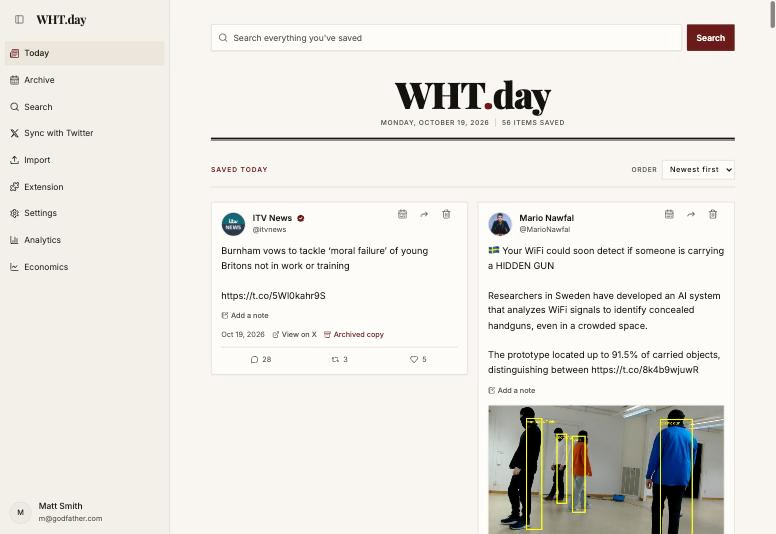
Here’s what a day in my archive looks like. Every save lands on the day it happened, so your record lines up with the news:
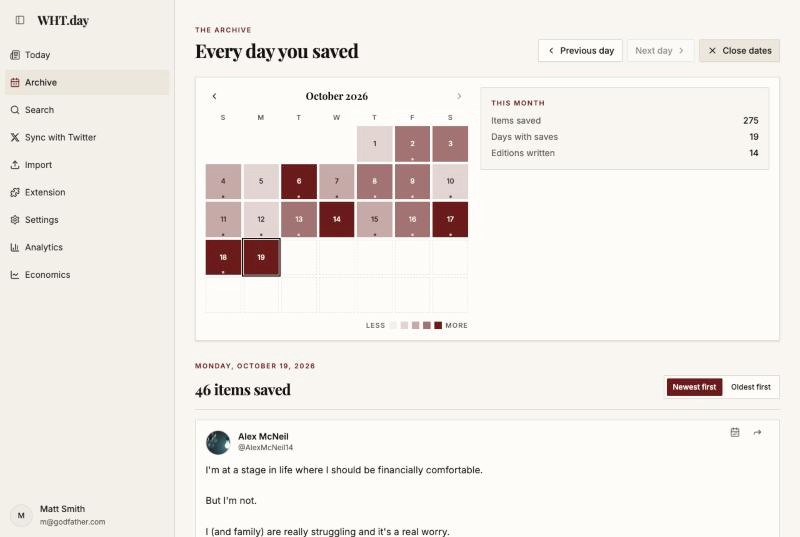
And every day you’ve saved is right there in a calendar. Open any date and see exactly what you were following — the articles, the posts, the notes you added:
The feature I’m most proud of: one click turns any story into a narrative timeline
Saving is table stakes. The reason I built WHT.day is what it does with your saves.
The news is designed to make you forget. Every story arrives as if it has no history. But the stories that matter — a currency crisis, an election, a war, an AI bubble — unfold over weeks and months, and the single most valuable question is always the same: what happened, when, and what happened next?
So here’s how it works. Search your archive for any topic — WHT.day searches by meaning, not just keywords, so “digital ID” also finds the age-verification and digital-currency stories you saved:
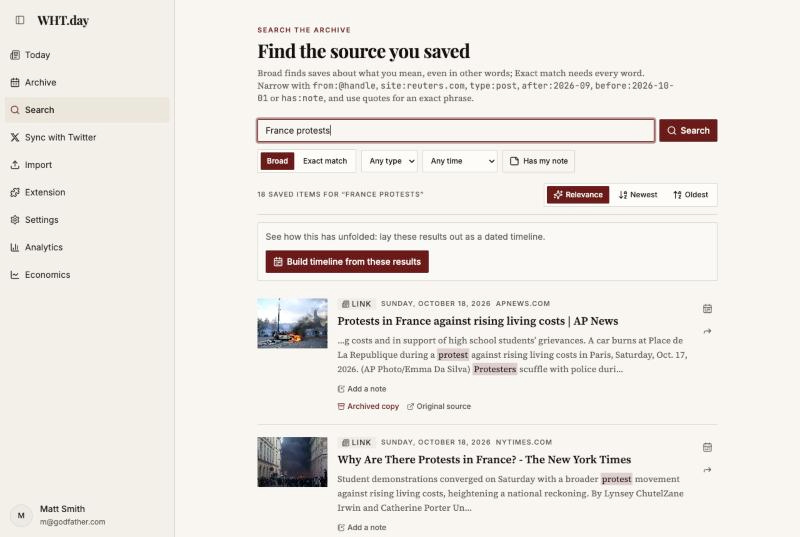
Press Build timeline, and WHT.day gathers everything related, lays it out by date, and writes a one-line summary of what each item added to the story — plus a narrative overview of the whole thing. No tagging, no folders, no work. This took one click:
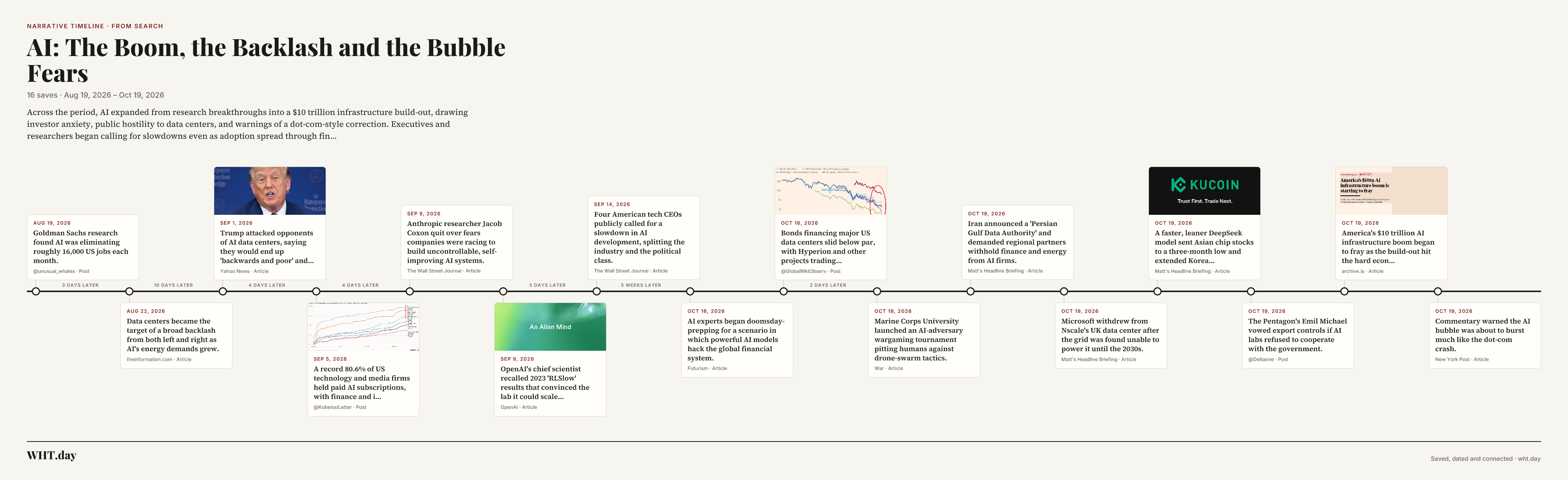
You can share any timeline with a link or download it as an image — the rest of your archive stays private.
Your X bookmarks, finally rescued
If you’re like me, your X bookmarks are a graveyard: hundreds of posts you’ll never find again, and some already deleted.
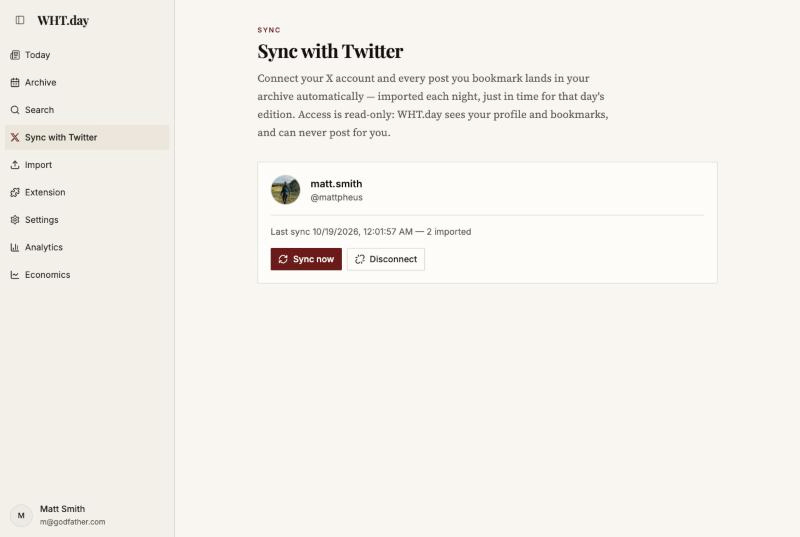
Connect your X account once and WHT.day imports your 800 most recent bookmarks, then picks up new ones automatically every night — full text and media, filed on the date each post was made. If a post is deleted later, your copy isn’t. Access is read-only: it can see your bookmarks, and it can never post for you.
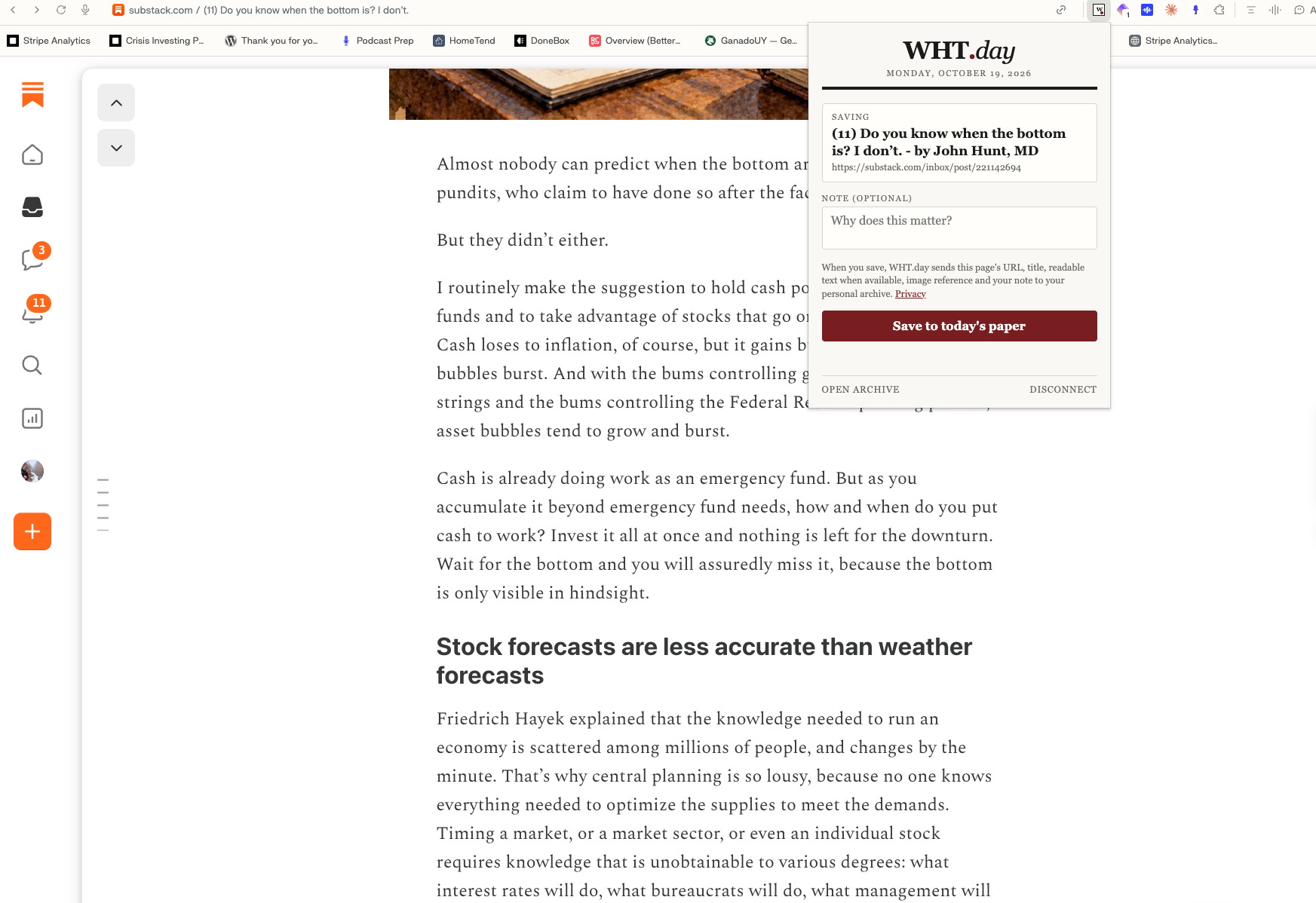
Saving takes one click
The browser extension captures whatever you’re reading — the article on the page, the email open in your inbox, the Substack post you’re viewing — full text included, so your saves survive paywalls and dead links. Works in Chrome, Edge, Brave and Firefox:
Everything it does
Keeps the full text forever. Articles, X posts, newsletters — your copy survives dead links, paywalls, edits and deletions.
Files every save by day. A calendar archive of the news as you followed it.
Builds narrative timelines. Any topic, one click, laid out by date with a summary of what each item added.
Syncs your X bookmarks. Imported nightly, filed on the date posted, kept even if deleted.
Search that knows what you mean. By meaning as well as keyword; narrow by source, date or type.
Private by default, shareable by choice. Share one article or one timeline with a link you can turn off anytime. Nothing else is ever visible.
Optional daily summary. Ask for a written summary of any day, or have one emailed to you each night.
Who this is for
People who follow stories, not feeds. If you track markets, conflicts, elections, AI — anything where the order and details of events is the whole point — this is for you. Researchers preserving posts before they’re edited or deleted. Investors lining up the headlines behind a move. Writers who need a sourced timeline where every claim links to the original.
Try it
WHT.day is $8/month or $68/year (that’s 3.5 months free on annual). Cancel anytime from Settings. And your archive is yours for good: even if you unsubscribe later, everything you saved while subscribed stays readable — you just can't add to it until you come back.
For readers of this letter: use promo code WILD26 at checkout and you'll get 20% off your entire first year — on either plan. The code expires October 31, so if you've been meaning to start an archive, this is the moment. Just click the code field on the checkout page and type WILD26.
Start with today. A month from now you’ll have the world as you chose to follow it — kept in full, in order, and ready to turn into timelines.
— Matt
P.S. The best time to start an archive was a year ago. The second best time is before the next story you care about gets memory-holed. Everything you save from today on is yours — permanently.
This is a gold mine of information. They can no longer gaslight us into the memory hole